Your money, mapped to the days it moves.
CashByMonth puts every paycheck, bill and subscription on a calendar and keeps a running balance on each day. Spot the tight weeks early and always know what you can afford.
- Cancel anytime
- No bank login required
- Works on any device
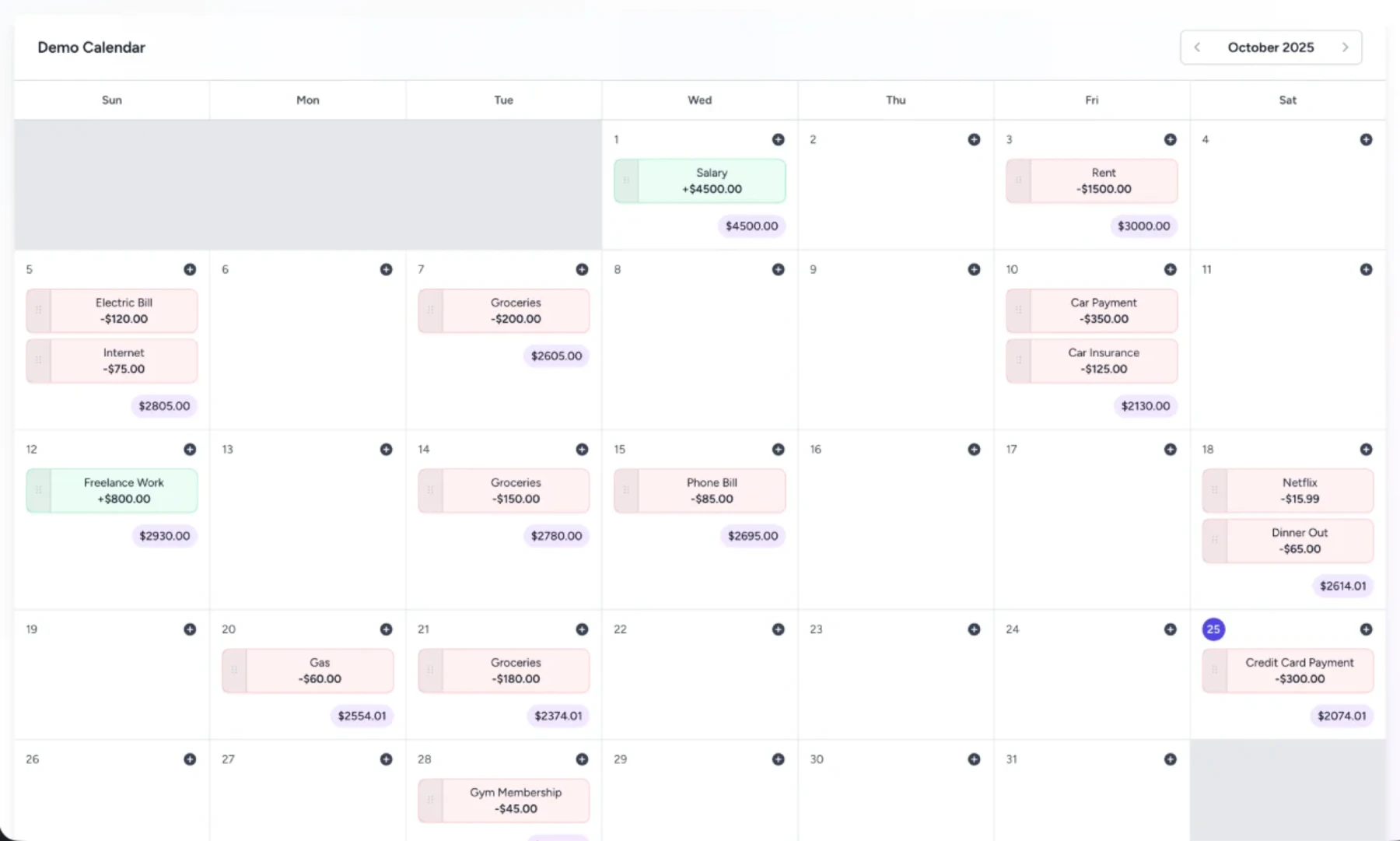
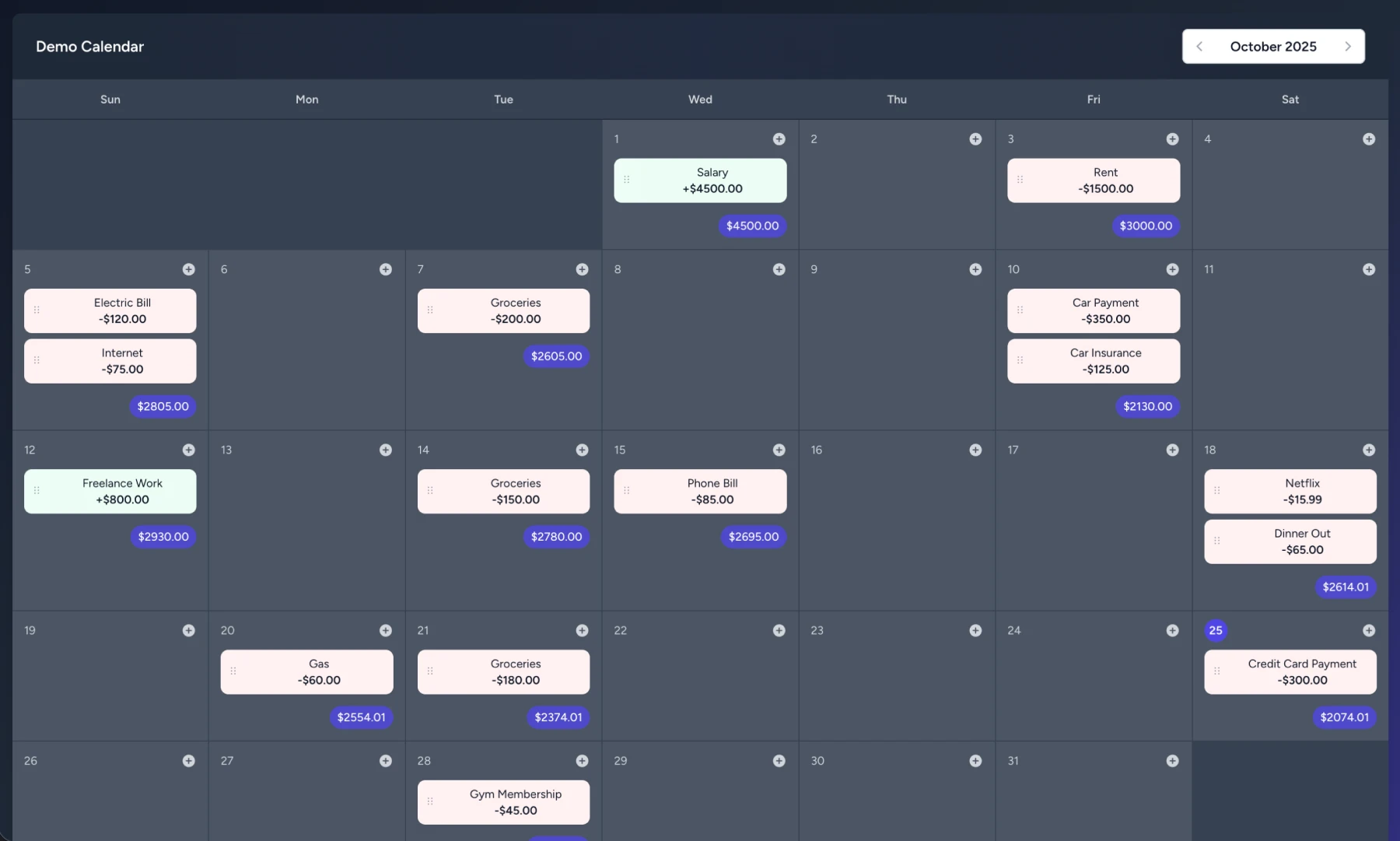
Built for anyone whose money comes in and goes out on different days
Why a calendar?
Budgets tell you how much.
CashByMonth tells you when.
Most money stress isn't about the monthly total. It's rent landing two days before payday. Seeing your cash flow day by day fixes that.
The usual way
- Bank apps only show what already happened
- Spreadsheets get messy and fall out of date
- Budget categories hide when bills actually hit
- Surprise overdrafts and "can I afford this?" guessing
With CashByMonth
- See your balance on any day, months ahead
- Paychecks and bills sit on the days they really land
- Low points are flagged before you hit them
- Move a payment, and every balance updates instantly
Features
Everything you need to plan ahead.
Nothing you don't.
A running balance on every single day
Each day ends with your projected balance. When a day dips below zero it turns red, weeks before it happens.
Recurring in one click
Set paychecks, rent and subscriptions once. Edit one, every future one, or the whole series.
Drag, drop, done
Bill moved? Payday early? Drag it to the new day and every balance after it updates.
Your whole month at a glance
A clean balance chart shows where the month ends, your lowest point and the net change.
Plan together
Share a calendar with a partner or roommate by email. Everyone sees the same numbers.
Snap a bill, skip the typing
Scan a receipt or bill and AI fills in the name, amount and date for you.
Private by design
No bank connections, no data selling, no ads. Just what you choose to enter, encrypted.
How it works
From zero to clarity in five minutes
-
1
Create a calendar
Name it ("Household", "Side business") and you're in. No setup wizard, no bank linking.
-
2
Add what you know
Drop in paychecks, rent, bills and subscriptions. Make them recurring in a click.
-
3
See what's coming
Your balance appears on every day ahead. Move things around until the month works.
When I got married and had my first child, life changed in the best possible way, and so did my finances. Suddenly every dollar needed a purpose, and I wanted a clear, visual way to keep track of it all. So I built this calendar. Since then I've saved thousands each year simply by knowing where my money is going. I hope it does the same for you.

Pricing
One plan. Everything included.
Popular budgeting apps cost $100+ a year. CashByMonth gives you the full picture for less than half that.
CashByMonth
Every feature and every update, on every device. No tiers to compare, no add-ons to unlock.
- Unlimited calendars
- Running daily balance
- Recurring transactions
- Drag-and-drop planning
- Balance charts
- Calendar sharing
- AI receipt scanning
- CSV export
- Light & dark mode
- All future updates
$49 / year
USD, billed yearly · cancel anytime
Start planning todaySecure checkout with Stripe
Typical app
$100+ / year
CashByMonth
$49 / year
FAQ
Questions, answered
Can't find what you're looking for? Email us and a real person will reply.
[email protected]Do I need to connect my bank?
No. CashByMonth never asks for bank logins and never pulls data from financial institutions. You add what you know is coming (paychecks, bills, subscriptions), and the calendar does the math.
Is my financial data safe?
Your data is encrypted in transit and at rest, and we never connect to external financial services. What you enter is all we store, and we never sell it.
How much does it cost?
$49 a year, which works out to about $4 a month. One plan with every feature and every update included. No tiers, no add-ons.
Can I track past transactions too?
Yes. It shines for planning ahead, but you can log past transactions to see history and make your forecasts more accurate.
How do recurring transactions work?
Add a transaction once and repeat it daily, weekly, every other week, monthly or yearly. You can later edit or delete just one, all future ones, or the whole series.
How do I share a calendar?
Invite someone by email from the calendar settings. Shared calendars update for everyone, which makes planning with a partner or roommate easy. Everyone you share with needs their own account.
Does it work on my phone?
Yes. CashByMonth runs in any modern browser, with a layout built for phones, plus light and dark mode.
Can I cancel anytime?
Yes. Cancel from your account in a couple of clicks and you keep access until the end of the year you paid for. You can export your data to CSV whenever you like.
I bought lifetime access. Does anything change?
No. Everyone who bought lifetime access keeps it, with every new feature included. Thank you for being an early supporter.
Stop guessing. Start seeing.
Know exactly where your money will be next week, next month and beyond, for about $4 a month.